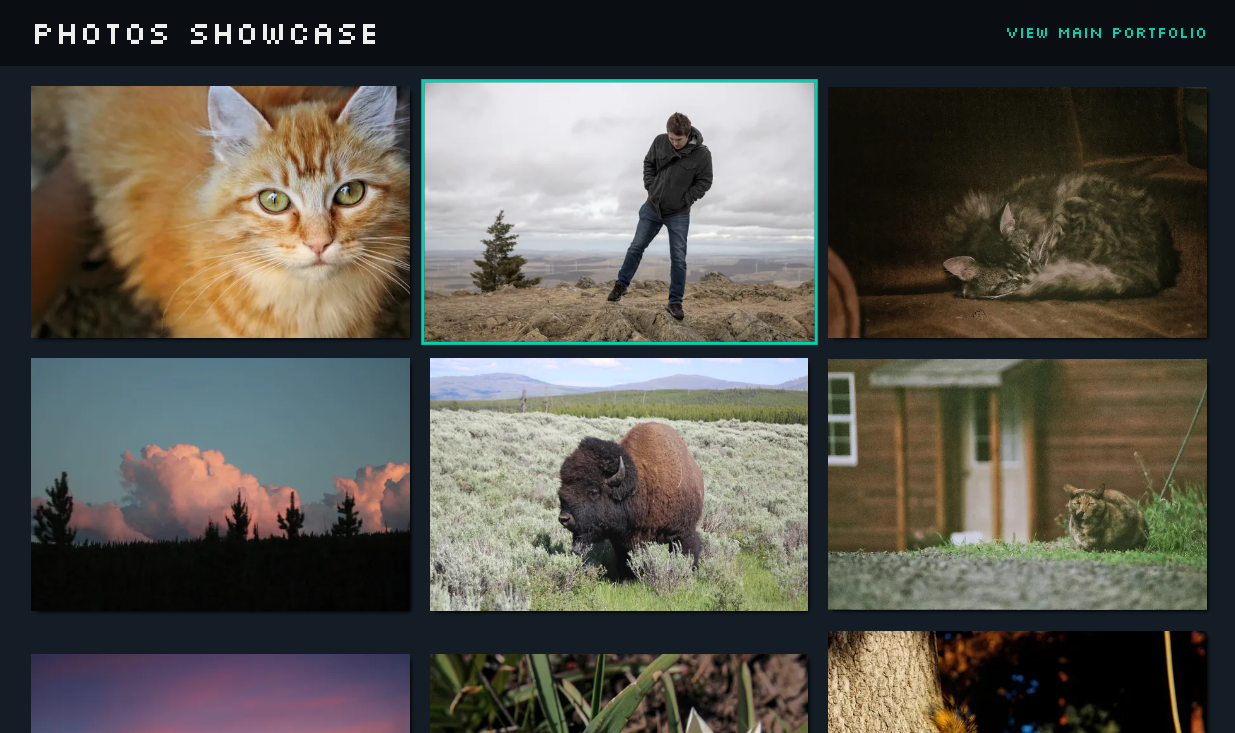
Photography Portfolio | Summer 2023
View SiteI built this project for a couple reasons: to have a place to post some of my photos, and to improve my JS skills.
Compress Images
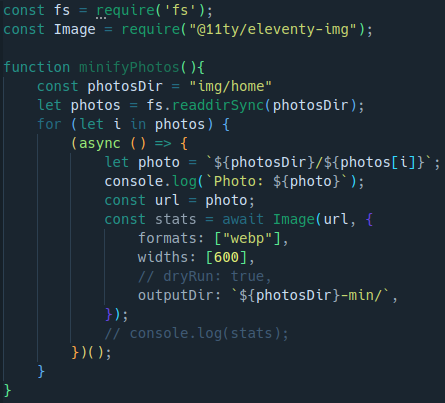
The first problem I wanted to solve was getting my photos in a format ready to serve to the user. This involved shrinking them and converting them to all the same file type.
To do this, I used the 11ty Image Plugin. Using this in a loop, it was straightforward to iterate through the folder of images, compressing and converting each one. The resulting images are placed in another folder of minified images.
Collecting Photo Data
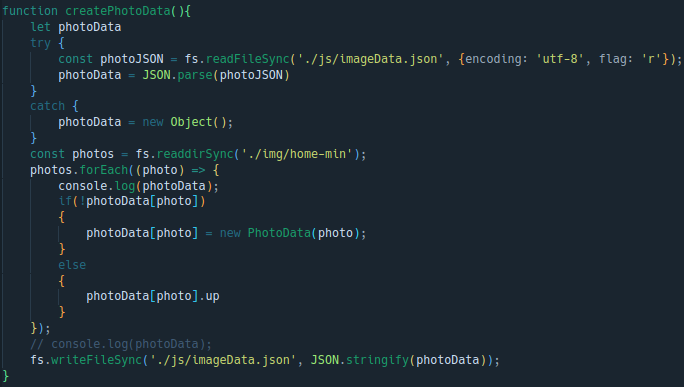
Next, I had another couple problems to solve. First, I wanted each image to be able to hold its own information, such as title, description, date, location, etc. I also needed the user to be able to access all that data.
My first thought was to write JS code in my Pug file to read the directory of input images, then create an html element for each image in the folder. But, I learned that 'require()' is not available in the template.
To get around this, I created a seperate script to run this step, as well as the minify code from above. This can just be executed before building the site, and all the images will load correctly.
The final code stores the name of the file as the key in an object, and attaches a title and description to that key. This is stored in a JSON file. Next, I just input in the JSON file the title and description.
The Client Side
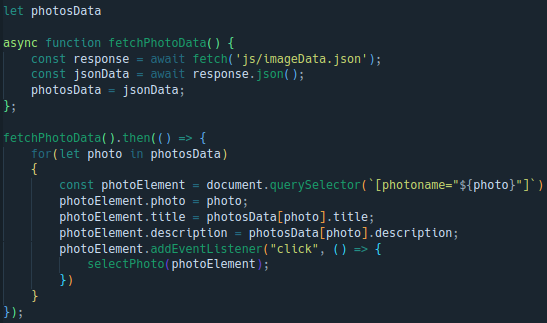
Finally, I wrote the code for the client to use the data we just stored. First, it fetches the JSON file of photo data.
The photos elements themselves are actually created in the PUG template, using a loop. In hindsight, I may as well have just created the elements here, but this works fine too.
Anyways, when the JS runs it attaches the data to the elements themselves on the page, based on the image/file name.
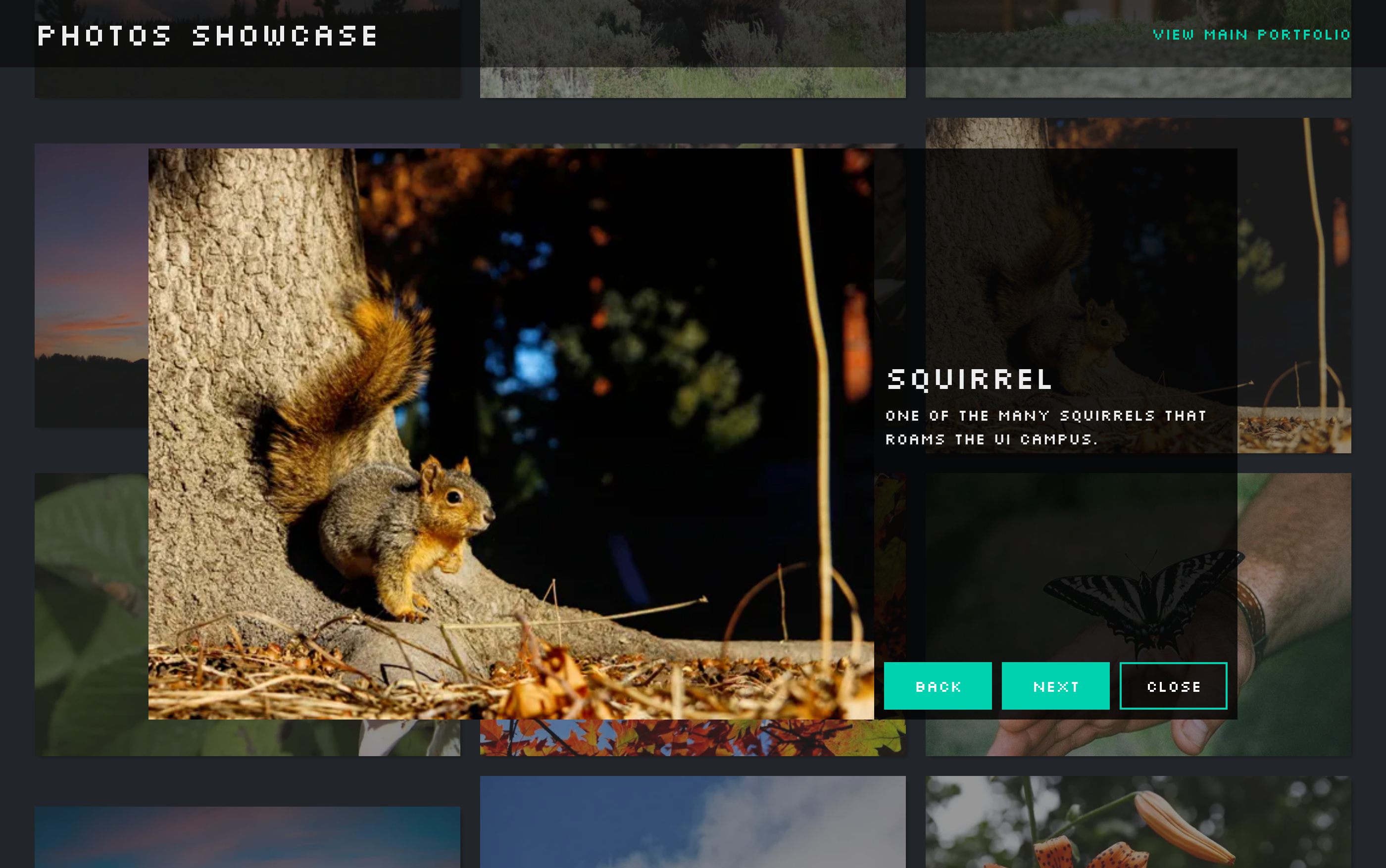
End Result
I was pretty happy with how the site turned out. It's not the fanciest thing, but I learned quite a bit about working with JS, and it gives me a place to show off some photos😁!